
Scratch
By Abe (abeair on Scratch) and Param (paramji56 on Scratch)
http://scratch.mit.edu/users/abeair and http://scratch.mit.edu/users/paramji56
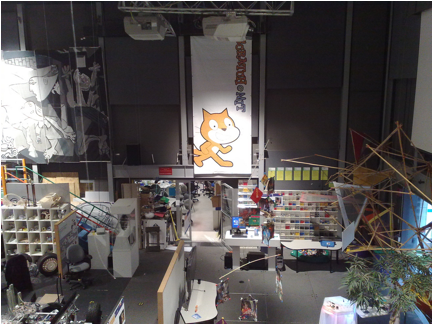
The 2008 Scratch Conference
 I know that a lot of people are interested in programming. Programming is not just point-and-click. There is a lot more to it than that. Serious programming involves a lot of math.
The first kind of programming evolved when some very smart person made a loom that used a punch card (a card that has punched out parts that tell a machine what to do) to tell it the pattern to weave. Then player pianos became popular. They were pianos that used a roll of punched paper to automatically play a song. Next were more advanced computers. They used toggle switches to be programmed in binary. Binary is a number system that is base-two and uses only ones and zeros. The place values are 1, 2, 4, 8, 16, and it keeps doubling. Binary is also used if you compile (turn into a binary) a program. If you want to create your own prog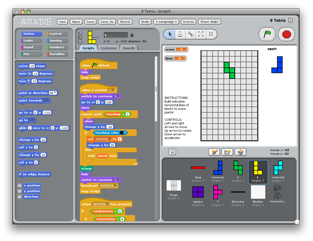 ram or game, a tool that I suggest you use is the free Scratch from MIT (http://scratch.mit.edu). Scratch can run on Mac, Linux, and Windows 98/2000/NT/XP/Vista.
Two cool things that Scratch can do are that it can use lists and variables. Lists are pretty simple. Just as the name suggests, lists are a list of variables (a variable is a value that your program can change). You could create a mouse recorder program, or something simpler, like a checklist program. Making programs in Scratch is simple. To make your program start when you click the start button, drag the “When Flag Clicked” procedure from the orange “Control” tab to the top of the grey middle pane. That’s it for programming.
The best thing about Scratch is that it lets you share your projects to the growing online “ScratchR” programming community. You can upload and download Scratch projects, play them online, and it has a forum, much like other sites. The current number of projects is 339,717 and the current number of scripts is 8,730,906! That means that if all the projects on Scratch were put together, it would be the size of Windows!
I interviewed one of the best (also most famous) users of Scratch, called “The Archmage”. Here is what he said.
Q: When did you start using Scratch?
A: Over a year ago.
Q: Where did you find out about Scratch?
A: Digg.com
Q: What are your most used blocks?
A: [The] variable blocks.
Q: What do you like about Scratch?
A: No syntax errors.
Q: What do you dislike about Scratch?
A: [It has] no sprite duplication, low efficiency, and a general lack of features.
Q: What kind of projects do you like?
A: Kind of hard to say, I like anything that is unique and well coded.
Advanced Section
So, you like Scratch, and you want to know how it’s made. Well, here’s the long and exciting tale of… (Drum roll please!) …Squeak! Yes, really, Squeak. Sounds like something the Scratch Cat would catch… And, back on subject, Squeak is a programming environment, like Scratch, but harder, for making programs. It uses the Smalltalk programming language (originally written for kids, but a bit hard to learn). Scratch is written in Squeak. The underlying code of Scratch is called the “Source Code”. The source code is meant for developers to be able to create new versions of Scratch (such as the Scratch user Jens’ chirp IDE, at http://chirp.scratchr.org). When you get the source, it is in a strange format, with the “image” extension. You just drop this file on Scratch.exe (or Scratch.app) and it starts Scratch in Development Mode. Unless you are the one-in-a-million (modern) kid-that-knows-Smalltalk, I recommend not downloading the source. But if you really want to, go to http://scratch.mit.edu/pages/source. A good way to learn how to use the source code is to look at the Scratch user Jens’ project “Flip”, at http://scratch.mit.edu/projects/Jens/75626. Another way to edit the Scratch source code is to use Jens’ new “Elements For Scratch”. Elements lets you edit the Source Code with Scratch-like blocks.
As you can see, Scratch is entertaining, fun, educational, creative, and even has an online community, and can create almost anything! Now take a break from “Drawn To Life” or “Kirby’s Canvas Curse, and actually make something! And remember to visit http://scratch.mit.edu!